User guide
App preview
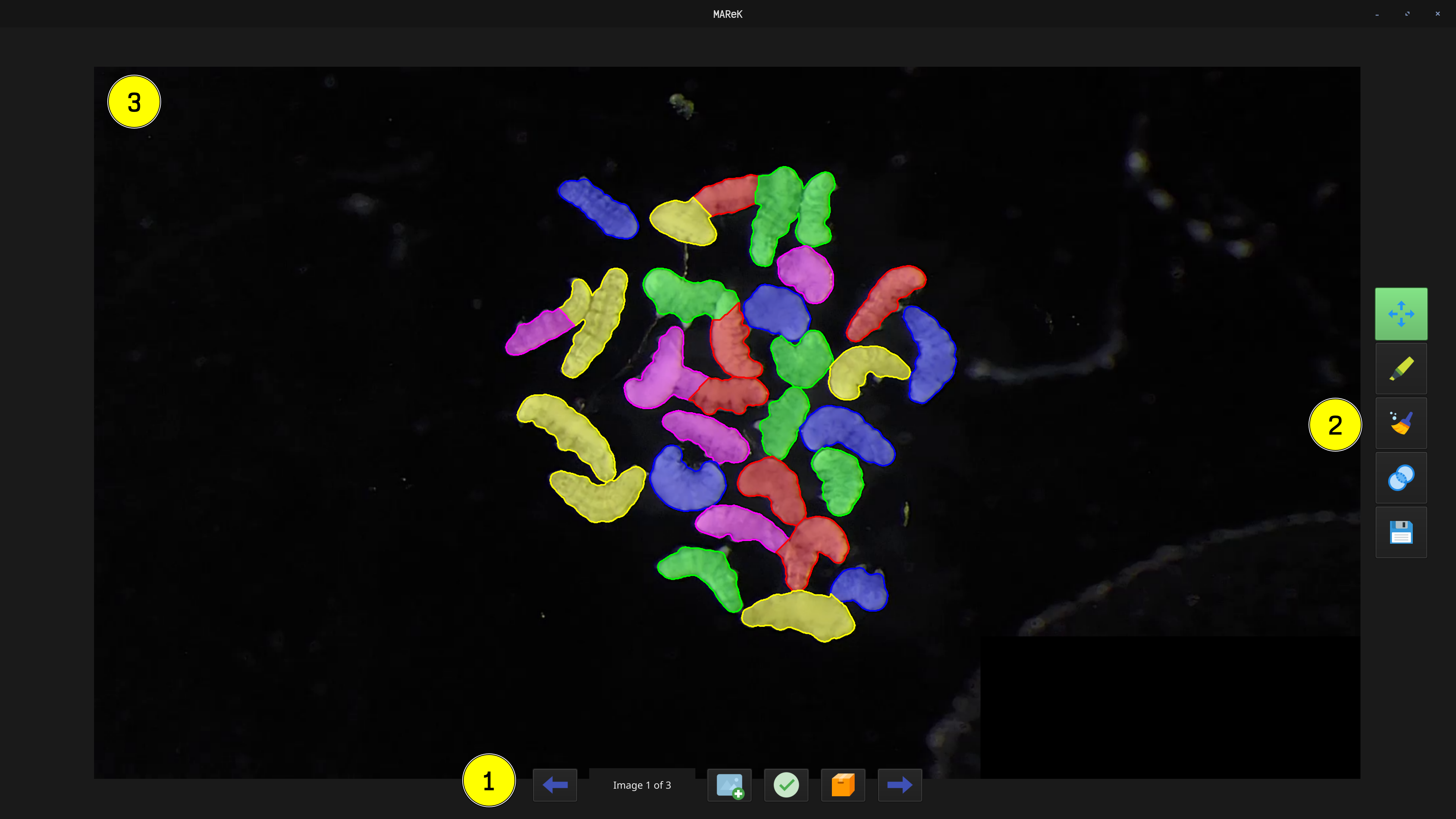
1. File manipulation
- ⬅️/➡️ — switching images
- 📁 – open new images + annotations
- only .zip folders are visible
- annotations (.npz) have to be in same folder as images
- ✅ – sets the currently opened annotations as validated (images and annotations will have _validated suffix in filesystem)
- 📦 – exports all validated annotations to selected destination
2. Tools
Switching tools by left clicking. Current tools is highlighted with green color.
- ✋ – moving the image
- ✏️ – drawing boundaries
- 🧹 – removing annotations
- 🔵 – merging objects
- 💾 – saving changes to the labels file
3. Canvas
Here is displayed currently opened image with its annotation. You can zoom in with mouse wheel.